

How to Get Your Digital Emirates ID in the UAE
Access your Emirates ID digitally if your physical card is lost, damaged, or under renewal
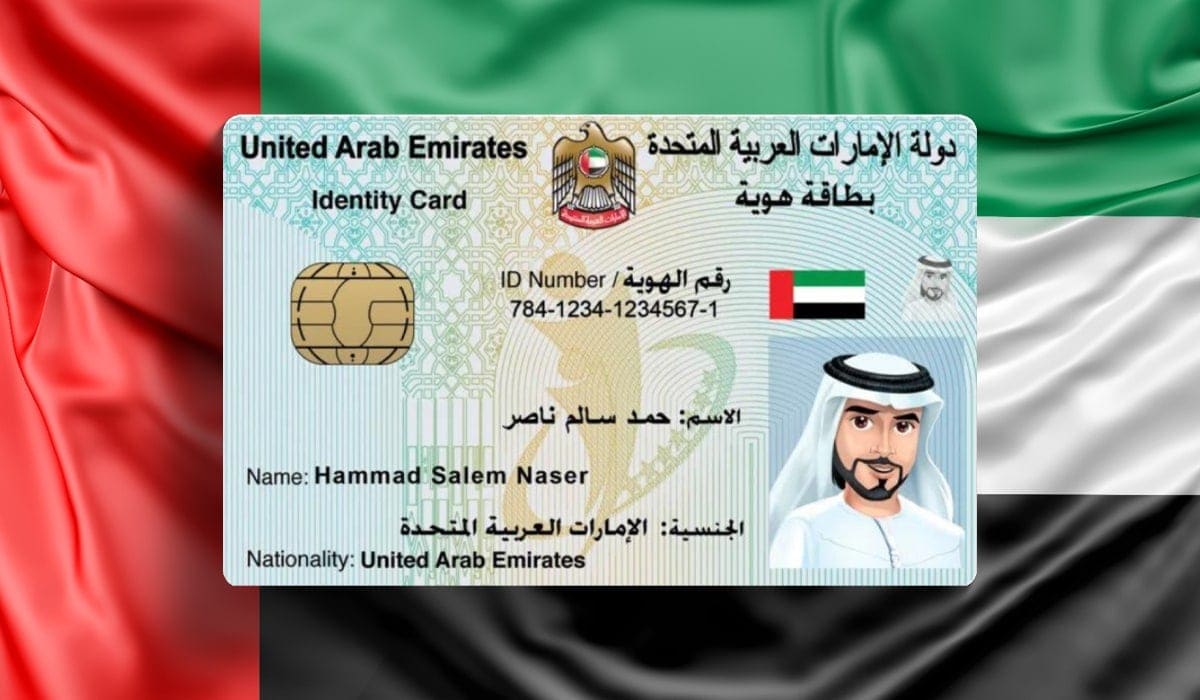
In the UAE, your Emirates ID is your primary proof of identity and residency. Residents are required to carry it at all times for official and personal transactions. But what if your Emirates ID is lost, damaged, or under renewal?
The good news is that you don’t have to wait for your new card to arrive — you can access a digital version of your Emirates ID instantly and free of charge. This digital ID is fully valid across the UAE for most online and offline verifications.
Here’s a complete step-by-step guide on how to get your digital Emirates ID.
- Access via the UAEICP App (Official ICP App)
The UAEICP app, managed by the Federal Authority for Identity, Citizenship, Customs, and Port Security (ICP), allows you to view and download a digital copy of your Emirates ID.
Steps:
Download the “UAEICP” app (available on Apple App Store and Google Play).
Log in using your UAE Pass account.
On the homepage, tap “Emirates ID.”
Select your name to view your digital Emirates ID.
Tap “Download PDF” to save a copy on your phone for offline use.
💡 Tip: The PDF version can be uploaded directly when applying for services or renewals.
2. Add Emirates ID to Apple Wallet (For iPhone Users)
For Apple users, the UAEICP app also allows you to add your Emirates ID directly to your Apple Wallet, making it instantly accessible.
Steps:
Open the UAEICP app and sign in with UAE Pass.
Tap “Emirates ID” and select your name.
Choose “Add to Apple Wallet.”
Follow the on-screen instructions.
Once added, your digital Emirates ID will be available anytime from your Wallet app, even without an internet connection.
3. Access Through the UAE Pass App (All Devices)
UAE Pass is the UAE’s national digital identity system, allowing residents to log in to thousands of government and private services securely.
Steps:
Download the UAE Pass app (iOS or Android).
Log in using your UAE Pass credentials.
Go to “Add Documents.”
Find Emirates ID under the Personal section and tap “Request.”
After a few minutes, you’ll find it in the Documents section of the app.
- Works on both Apple and Android devices.
- The document remains securely stored in your account.
4. Generate a Temporary QR Code for Verification
If your Emirates ID is expired, lost, or under renewal, you can create a temporary QR code via the UAEICP app for quick verification.
Steps:
Open the UAEICP app.
Tap “Emirates ID QR Code” on the home screen.
Choose verification method:
- By Mobile Number: Enter your Emirates ID or unified number.
- By Personal Information: Provide nationality, passport details, date of birth, and sponsor number.
Submit your details.
A QR code containing your Emirates ID information will be generated.
Government departments and service providers can scan this QR code for verification while your new card is being processed.
Why Digital Emirates ID Is Important
Having a digital Emirates ID ensures uninterrupted access to:
Government services
SIM registration
Banking and financial services
Utility payments
Hospital and insurance services
It’s a secure and convenient backup that’s valid across all major government and private entities in the UAE.
About us and this blog
We are a digital marketing company with a focus on helping our customers achieve great results across several key areas.
Request a free quote
We offer professional SEO services that help websites increase their organic search score drastically in order to compete for the highest rankings even when it comes to highly competitive keywords.
Subscribe to our newsletter!
More from our blog
See all postsWarning: Trying to access array offset on value of type bool in /home/noe03nzg/inwider.ae/wp-content/plugins/live-composer-page-builder/modules/posts/module.php on line 6110
Warning: Trying to access array offset on value of type bool in /home/noe03nzg/inwider.ae/wp-content/plugins/live-composer-page-builder/modules/posts/module.php on line 6110
Warning: Trying to access array offset on value of type bool in /home/noe03nzg/inwider.ae/wp-content/plugins/live-composer-page-builder/modules/posts/module.php on line 6110
Warning: Trying to access array offset on value of type bool in /home/noe03nzg/inwider.ae/wp-content/plugins/live-composer-page-builder/modules/posts/module.php on line 6110
Warning: Trying to access array offset on value of type bool in /home/noe03nzg/inwider.ae/wp-content/plugins/live-composer-page-builder/modules/posts/module.php on line 6110
Warning: Trying to access array offset on value of type bool in /home/noe03nzg/inwider.ae/wp-content/plugins/live-composer-page-builder/modules/posts/module.php on line 6110
Warning: Trying to access array offset on value of type bool in /home/noe03nzg/inwider.ae/wp-content/plugins/live-composer-page-builder/modules/posts/module.php on line 6110
Warning: Trying to access array offset on value of type bool in /home/noe03nzg/inwider.ae/wp-content/plugins/live-composer-page-builder/modules/posts/module.php on line 6110
Recent Posts
- IT Security Solutions in Dubai – Cybersecurity & Endpoint Protection January 4, 2026
- Infrastructure Management, Software & Helpdesk Support– IT Genius in Dubai & UAE January 4, 2026
- What Is Inwider? January 4, 2026